Moving your dives from Garmin to Loggerfish
Garmin keeps each dive from a Descent watch as its own .fit file in Garmin Connect. Download those files, then hand them to Loggerfish all at once: you see every dive in a preview before anything is saved.
1. Export from Garmin Connect
- On a computer, sign in to Garmin Connect in a web browser.
- Open one of your dives from the list of activities.
- Open that activity’s settings menu (the gear icon) and choose to export the original file. Garmin downloads that one dive.
- If the download is a .zip archive, unzip it: the dive is the .fit file inside.
- Do the same for each dive you want to bring across, and keep the .fit files together in one folder.
Garmin’s own help article on exporting could not be opened for this guide, so these menu names come from how Garmin users describe the website and may differ slightly in your version of Garmin Connect.
Dives you see in the Garmin Dive app are the same dives: Garmin’s manual says the app syncs with your Garmin Connect account, so exporting from Garmin Connect covers them.
2. Import into Loggerfish
- Open Loggerfish at app.loggerfish.com. Importing needs no account: the files are read on your own device.
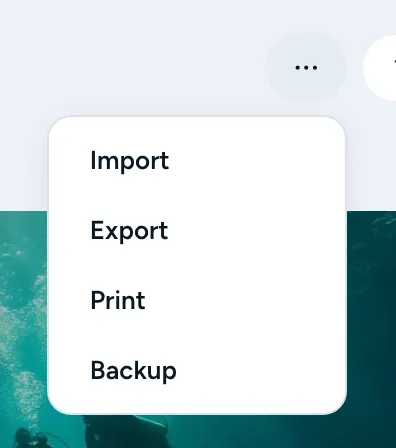
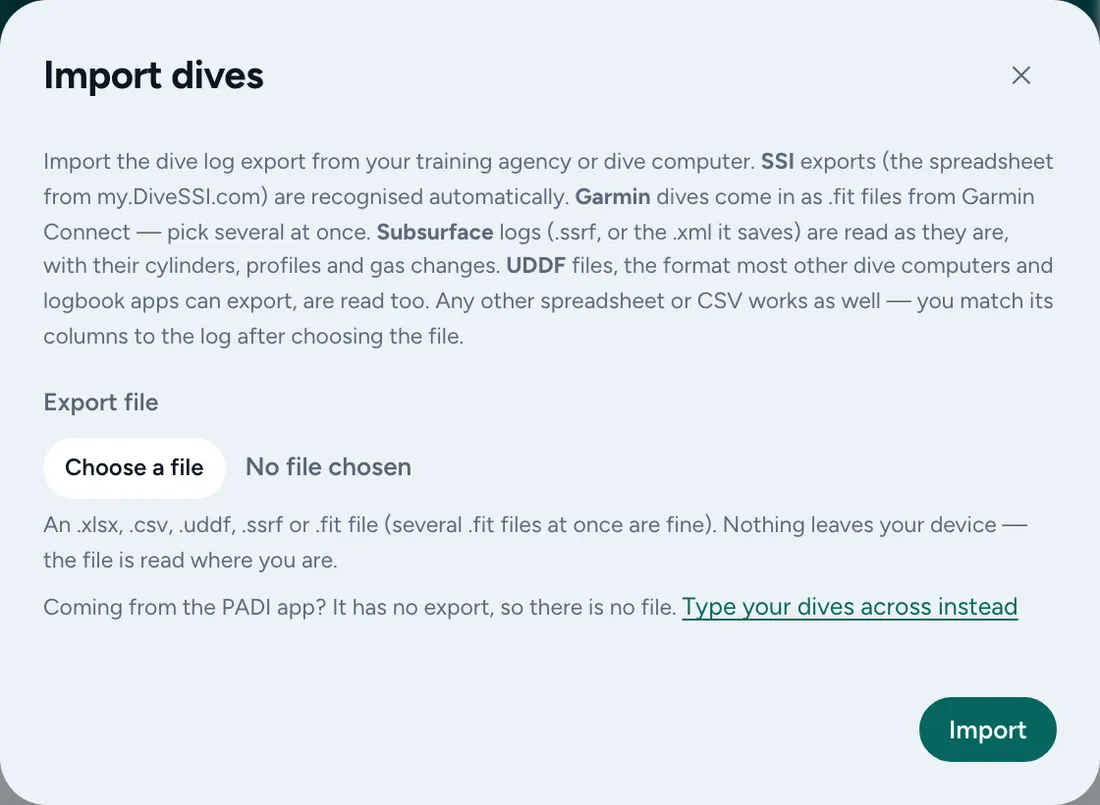
- Open the ⋯ menu (Your data) and choose Import (on a phone: More, then Import). The Import dives window opens.
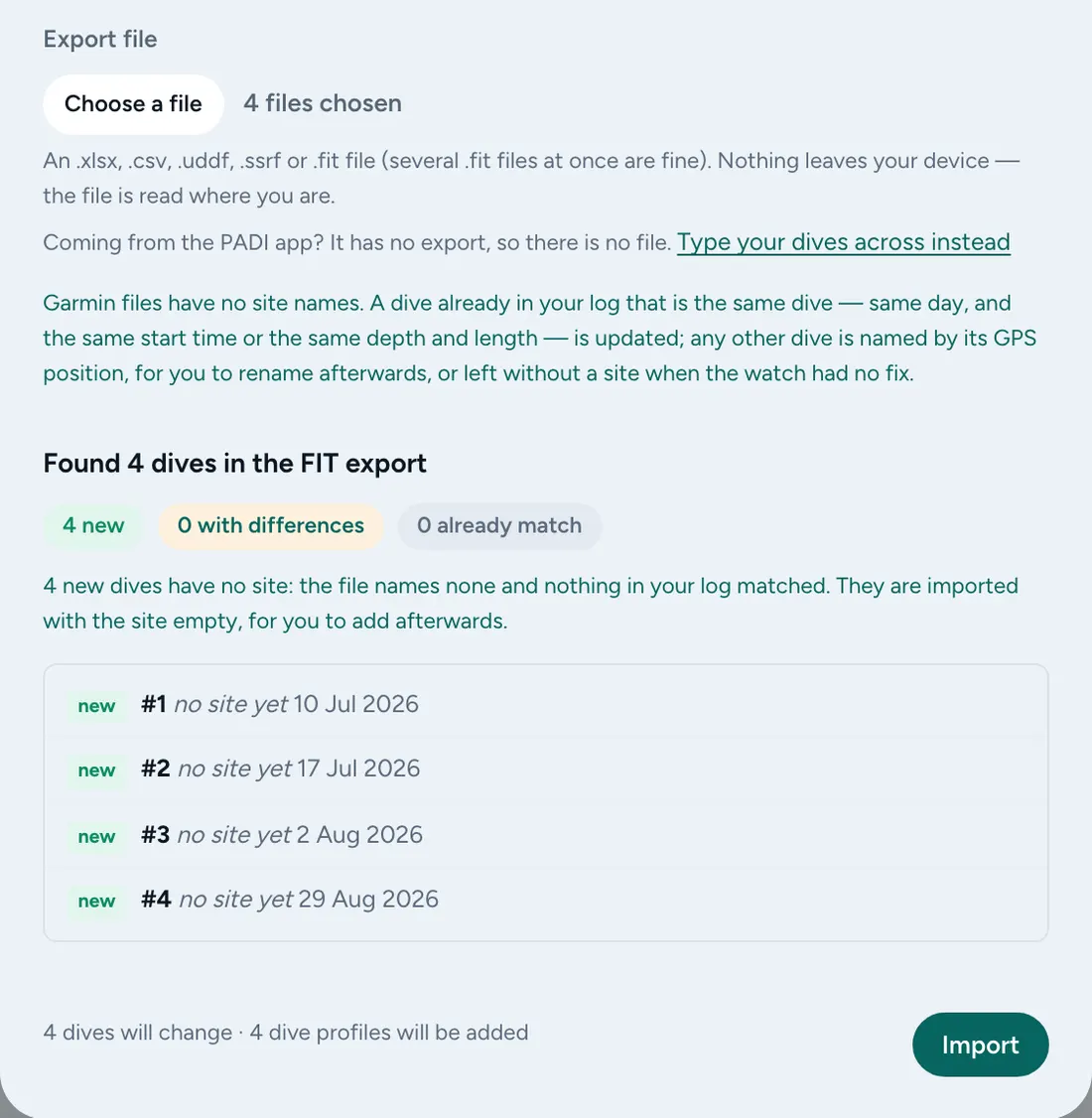
- Under Export file, choose all your .fit files in one go by selecting several in the file picker.
- Read the preview. It counts the dives that are new, the ones already in your log and the ones that differ, and lists each dive. Nothing has been saved yet.
- Press Import.
What comes across
- Each dive’s date, time, depth, length and the full depth profile.
- Garmin files carry no dive site names. A dive already in your log that is the same dive (same day, and the same start time or the same depth and length) keeps its site and gains the watch’s profile. Any other dive is named from its GPS position, or comes in without a site when the watch had no fix, for you to fill in afterwards.
Where the export steps come from
Checked against these pages on 17 October 2026. Apps change; if a menu has moved, the file you are looking for is the same.