Moving from Subsurface to Loggerfish
Subsurface saves your log as an .ssrf file, and Loggerfish reads it as it is, with cylinders, profiles and gas changes. Save the log, choose the file, read the preview.
1. Export from Subsurface
- Open your log in Subsurface and check that your latest dives are in it.
- Save the log. Subsurface keeps changes in memory until you save, and asks on closing whether to save.
- Find the log file you open Subsurface with. Loggerfish reads the .ssrf file, and also the .xml that Subsurface saves.
Subsurface’s manual calls its own format “Subsurface XML”. You do not need to export UDDF or a spreadsheet first, and you do not need to match columns.
2. Import into Loggerfish
- Open Loggerfish at app.loggerfish.com. Importing needs no account: the file is read on your own device.
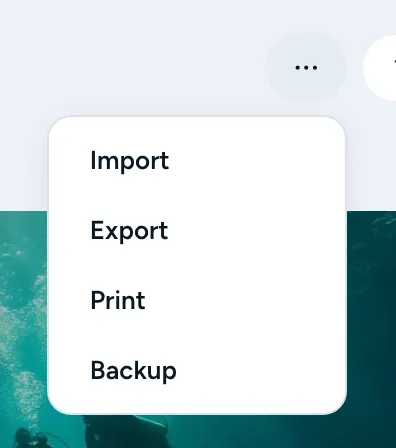
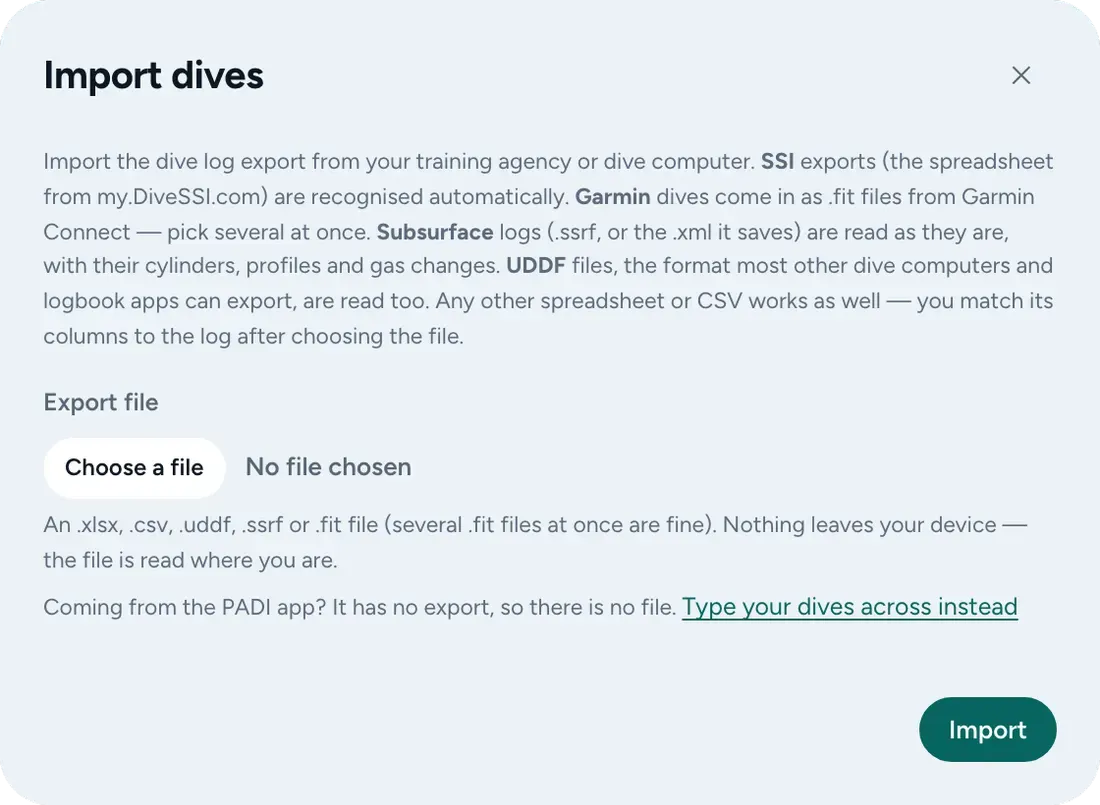
- Open the ⋯ menu (Your data) and choose Import (on a phone: More, then Import). The Import dives window opens.
- Under Export file, choose the .ssrf file.
- Read the preview. It counts the dives that are new, the ones already in your log and the ones that differ. Nothing has been saved yet.
- Press Import.
What comes across
- Date and time, the site and its position if Subsurface has one, maximum and average depth, and the dive time.
- Every cylinder with its size, pressures and mix, including the gas changes during the dive, and the depth profile when the file has one.
- Buddy and divemaster, notes, rating, tags, the dive computer’s name, water temperature, and trips.
What does not come across
- Visibility, because Subsurface rates it from 0 to 5 and Loggerfish stores a distance: a rating is not guessed into one. Air temperature has no field.
- Some profile events the logbook does not draw. The preview lists what was left out, by name. Dives with no date, or with no site, depth or time, are skipped with the reason.
Where the export steps come from
Checked against these pages on 10 November 2026. Apps change; if a menu has moved, the file you are looking for is the same.
Every dive. One logbook.
